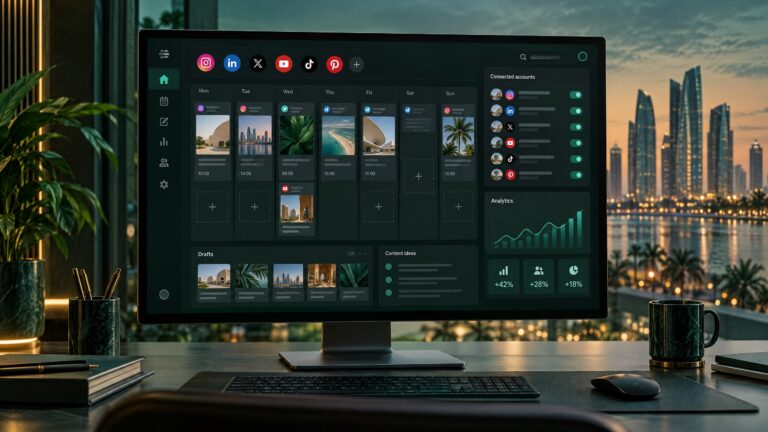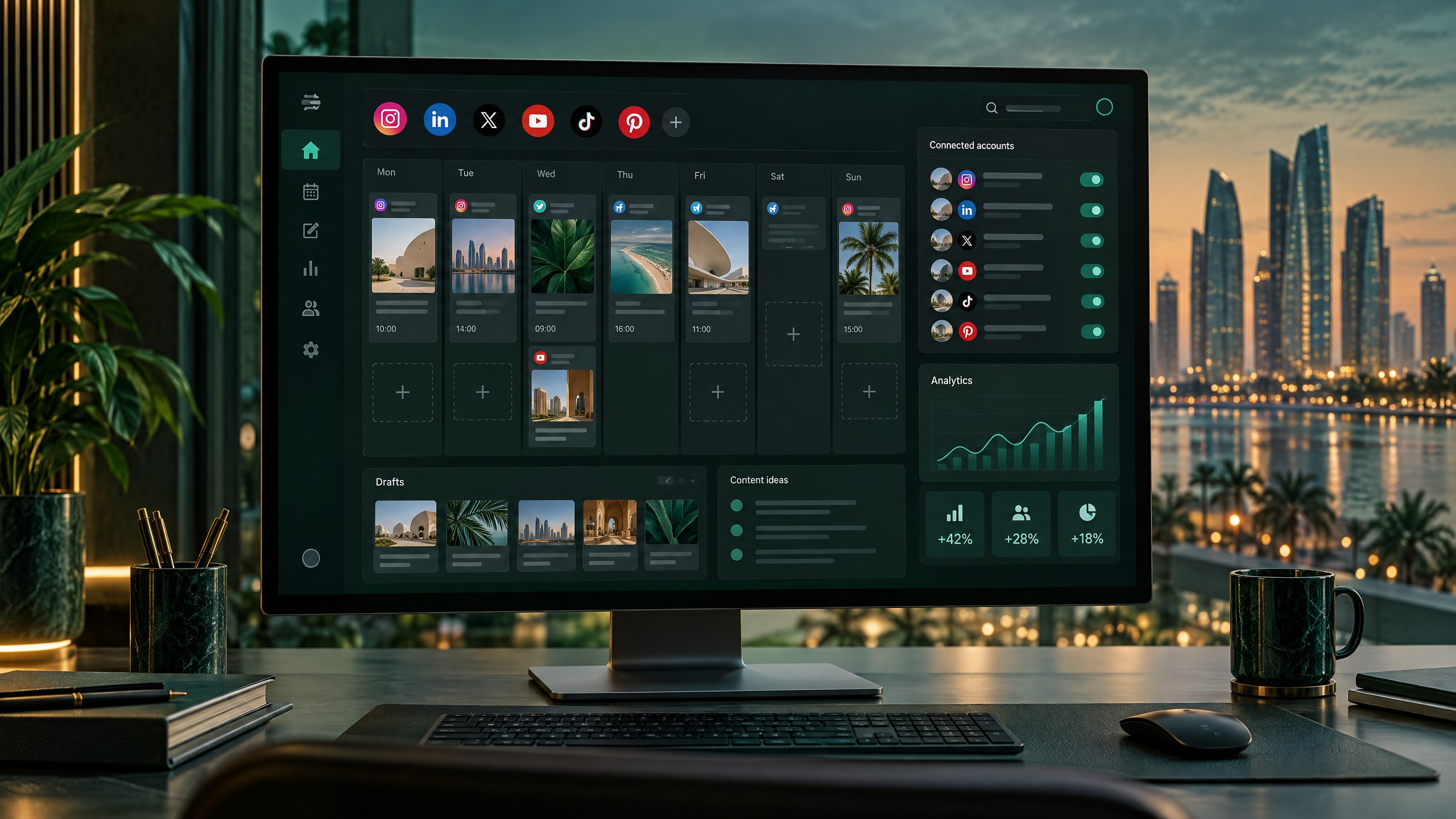
Businesses in Abu Dhabi, Dubai and across the UAE can plan social content in one place with Postiz, an open-source social media management platform that can be self-hosted. This guide explains how to deploy it with Docker Compose on a Vultr cloud server, keep CyberPanel and OpenLiteSpeed in front of the application, and use Cloudflare for DNS and HTTPS. It is written for business owners and technical teams who want a practical, maintainable setup—not a promise of unrestricted publishing or effortless “unlimited” social media.
Self-hosting gives your team more control over the application, its configuration and the server where it runs. It also makes you responsible for updates, access control, backups, monitoring and provider approvals. Social networks still apply their own API rules, account permissions, rate limits and publishing restrictions. This matters whether your audience is in Abu Dhabi, Dubai, Sharjah, Al Ain or elsewhere in the Emirates.
Want help setting it up? Digital Miraj can help businesses plan and install self-hosted applications such as Postiz, then document the configuration for ongoing operations. If your team is in Abu Dhabi, Dubai or elsewhere in the UAE, contact Digital Miraj to discuss an installation.
🧭 What this guide covers
You will prepare a Linux VPS, install Docker and Compose, deploy the current official Postiz stack, configure public URLs, connect the service through a CyberPanel/OpenLiteSpeed virtual host, and verify Cloudflare TLS. You will also review account connection, Arabic and English content planning, UAE time-zone scheduling, routine backups and common startup problems.
The example hostname is postiz.example.com. Replace it with a subdomain you control. The example provider is Vultr because it is the provider used for this deployment. The instructions do not assume that Vultr has a data centre in the UAE; check its current region list before provisioning if the location of stored data is important to your organisation.
💡 Why self-host Postiz instead of only using a hosted scheduler?
Hosted services such as Buffer and Hootsuite manage the software and server maintenance for you. That convenience can be worthwhile, especially if your team values vendor support, polished collaboration tools or a service-level agreement. Their plans, channel allowances, user seats and features vary, so compare the current terms directly before choosing a product. Prices and limits change; a comparison copied from an old article can quickly become misleading.
With a self-hosted Postiz installation, you operate the software on infrastructure you control. You can choose how it is deployed, how its persistent data is backed up and which people receive administrative access. You may also avoid some product-specific subscription tiers, depending on the current self-host edition and configuration. That does not mean the service has zero cost. You pay for the VPS, storage, backups, your time, and potentially paid features or third-party services. You still need to create and maintain the social-network developer applications needed for publishing.
For a small Abu Dhabi consultancy, for example, the benefit might be having one calendar for the company’s LinkedIn and Instagram content without paying for unused team seats. A Dubai retail team might value having one place to coordinate post drafts with a designer. A regional agency serving several clients might prioritise account separation, approval processes and documented access control. In each case, the right solution depends on current platform support and the operational workload—not just the headline hosting price.
Choose a hosted scheduler if you want the provider to run the infrastructure and you accept its commercial terms. Consider Postiz self-hosting if you have a person or partner responsible for Linux, Docker, security and backups. If neither your team nor a contractor can maintain the server, a low monthly VPS price can hide a higher support cost.
📍 UAE and Abu Dhabi planning before installation
Schedule for Gulf Standard Time
The UAE is four hours ahead of GMT, commonly written as Gulf Standard Time (UTC+4). Set your Postiz organisation’s time zone to the correct UAE zone if the current interface offers it, and confirm that scheduled posts display the intended local time. The time shown in a server shell, browser, account setting and social platform may differ if they use different time-zone settings. The UAE government fact sheet lists the country as four hours ahead of GMT.
For example, if your marketing team agrees to publish a campaign at 10:00 a.m. UAE time, enter that local time in Postiz and confirm the calendar shows 10:00 a.m. after saving. Do not convert it manually to UTC unless the specific tool asks you for UTC. Use a test post or a draft notification before relying on the calendar for a high-value launch.
Plan English and Arabic content as separate editorial work
Many UAE businesses communicate with people who prefer different languages. Treat an Arabic version as a deliberate piece of content, not simply English copy pasted through automatic translation. Have a fluent reviewer check spelling, tone, dialect, right-to-left layout, names, prices and calls to action. Review the final preview on mobile because line breaks and mixed Arabic-English text can render differently from a desktop editor.
Postiz can help organise drafts and timing, but it does not decide whether a translation is appropriate, whether a claim is substantiated, or whether an image is culturally suitable. Create a short review checklist for each campaign: language, audience, offer validity, destination URL, image crop, accessibility text, approval status and publish time.
Localise honestly
Use Abu Dhabi, Dubai or another city in a page title, introduction or service description when the content genuinely serves that place. Explain which parts are useful to a local team—for example, coordinating a UAE-time content calendar or supporting English and Arabic review—rather than repeating city names to manipulate rankings. Do not imply Digital Miraj has a walk-in office or a verified Google Business Profile at a location unless that is accurate. Google’s business representation guidance says businesses should represent their real-world identity and use an accurate address or service area.
For an organisation publishing commercial social content in the UAE, review applicable rules before launch. The UAE Media Council explains the Advertiser Permit requirements and exemptions for individuals. The rules depend on who is publishing, whose products or services are being promoted and the circumstances. This guide is not legal advice; check the current official guidance or consult a qualified local adviser if uncertain. See the UAE Media Council Advertiser Permit guidance.
🧰 Requirements and sizing
Use an Ubuntu 24.04 VPS with sudo access, a public IPv4 address, a domain, and working DNS. Install CyberPanel with OpenLiteSpeed on the same server only if you already understand how the panel’s web-server configuration is managed. If you use the server for existing websites, take a backup and record its current firewall and virtual-host settings before adding another site.
Postiz’s current system-requirements page says its Compose stack has been tested on a 2-vCPU, 2-GB Ubuntu virtual machine, which is a floor for light single-user use rather than a generous production recommendation. The same guidance recommends 4 vCPU and 8 GB RAM for a small team, 50 GB or more of disk for recommended capacity, and persistent storage for uploads. The bundled stack includes Postiz, PostgreSQL, Redis and Temporal; the current official compose repository also defines the supporting Temporal database and Elasticsearch services. Running CyberPanel, other websites and these containers on one VPS increases total resource use. For a shared production host, budget more than the minimum and monitor actual usage. Check the live Postiz system requirements before provisioning.
The current Vultr public region list should be checked at the time you deploy. It lists multiple global cities, but a UAE region is not shown in the current list. Do not describe the deployment as “hosted in Abu Dhabi” or “UAE data-resident” if the selected server is elsewhere. A server’s physical location can affect latency and may matter to contractual, regulatory or internal data-handling requirements. Cloudflare DNS or its edge network does not change the location of the origin server’s persistent database or uploads. If location is a requirement, get the answer from the provider’s current region list and terms before you put business data on it.
Before beginning, decide who will own OS updates, Docker updates, Postiz updates, database backup tests, disk alerts, social-provider credentials and staff access changes. A simple written ownership list prevents the common situation where a tool is installed but nobody is responsible for it.
1️⃣ Prepare DNS and HTTPS
Choose a dedicated subdomain, such as postiz.example.com, rather than installing Postiz in a directory under a public marketing website. In Cloudflare DNS, create an A record named postiz that points to the VPS’s public IPv4 address. Confirm that the address is correct and that no older A or AAAA record sends visitors to another server.
In CyberPanel, add the subdomain as a website or domain and issue a valid TLS certificate for that exact hostname. If you use Let’s Encrypt, follow CyberPanel’s certificate process and ensure inbound validation traffic is allowed when required. During troubleshooting, temporarily using DNS-only mode can help you distinguish an origin certificate or proxy issue from a Cloudflare edge issue; follow your certificate method’s current requirements.
When the origin certificate is valid, set Cloudflare SSL/TLS encryption to Full (strict). Cloudflare recommends Full or Full (strict) where possible; Full (strict) validates the origin certificate. Flexible mode encrypts only the visitor-to-Cloudflare connection and leaves Cloudflare-to-origin traffic unencrypted, so it is not the appropriate target configuration for this deployment. Read the current Cloudflare SSL/TLS encryption mode documentation.
2️⃣ Install Docker Engine and Compose
Connect to the VPS over SSH. On Windows, mRemoteNG can organise remote connections and supports SSH among other protocols. Use a named SSH profile with the server address and your intended account; do not store production passwords in an unprotected shared connection file. The project site is mRemoteNG.
Update Ubuntu and install Docker Engine with the Compose plugin by following Docker’s maintained Ubuntu instructions. Because package commands can change, use the current Docker Engine installation guide for Ubuntu rather than an old shell snippet. Verify the commands:
docker --version
docker compose version
Docker access is privileged: users who can control the Docker daemon can usually affect the host. Limit membership of the Docker group to trusted administrators. Configure the VPS firewall to allow only the public services you need. Typically that means SSH restricted to known source IPs where practical, and TCP 80 and 443 for the website. Keep Postiz, PostgreSQL, Redis, Temporal and Elasticsearch ports private.
3️⃣ Deploy the official Postiz Compose repository
Postiz’s self-hosting documentation identifies its maintained Docker Compose repository as the canonical deployment source. It includes the current compose file and the supporting configuration directories. Clone that repository rather than copying a static file from this article because image versions, services, environment variables and migration requirements can change. Start with the Postiz Docker Compose installation guide and its official Compose repository.
sudo mkdir -p /opt/postiz
sudo chown "$USER":"$USER" /opt/postiz
cd /opt/postiz
git clone https://github.com/gitroomhq/postiz-docker-compose.git .
ls -la
If /opt/postiz already contains files, do not clone over them blindly. Inspect the directory first and decide whether you are updating an existing installation or making a new one. For an existing Postiz deployment, read the official migration guide before pulling new images or changing database services. A fresh-install procedure and an upgrade procedure are not interchangeable.
Open the downloaded docker-compose.yaml and read the service list before changing anything. Keep the official Temporal, Elasticsearch and Temporal database configuration unless current Postiz documentation says otherwise. Temporal runs scheduled workflows, while the bundled services support the official deployment. Removing “extra” services because their purpose is not obvious can cause the backend or scheduled publishing to fail.
The official Compose file normally maps host port 4007 to container port 5000. Since OpenLiteSpeed will proxy the application on the same machine, bind the host side to loopback only. Change the Postiz service port entry to:
ports:
  - "127.0.0.1:4007:5000"
This lets OpenLiteSpeed connect to 127.0.0.1:4007 but does not expose port 4007 directly to the public internet. If the current compose file uses a different mapping, preserve its container port and change only the host binding to the intended local address. Do not publish database, Redis, Temporal or Elasticsearch ports unless you have a specific, secured administrative design.
4️⃣ Set public URLs and protect credentials
In the Postiz environment settings, replace the sample localhost URLs with your real public HTTPS hostname. The Postiz reverse-proxy guide shows the same-host pattern:
MAIN_URL: 'https://postiz.example.com'
FRONTEND_URL: 'https://postiz.example.com'
NEXT_PUBLIC_BACKEND_URL: 'https://postiz.example.com/api'
BACKEND_INTERNAL_URL: 'http://localhost:3000'
The first three values tell Postiz what browsers and OAuth callbacks should use. The backend URL must be reachable by a user’s browser, not only by the frontend container. Keeping frontend and backend paths on one hostname helps avoid cookie and OAuth state problems. The internal URL is for server-to-server communication inside the deployment. Use the values and names in the current downloaded compose file and Postiz’s reverse-proxy guide and configuration reference.
Create a long, random JWT_SECRET once during setup. For example:
openssl rand -hex 32Paste the result into the appropriate environment variable. Keep it stable after users log in: changing it invalidates existing sessions. Use unique, strong passwords for both PostgreSQL services, and ensure each connection string uses the matching password. Protect the Compose file because it may contain credentials:
chmod 600 docker-compose.yamlDo not commit secrets to a public Git repository or include real keys in screenshots, support requests or blog examples. In this article, placeholders such as CHANGE_ME are deliberately not usable credentials. Replace every placeholder before the first production startup.
5️⃣ Start services and confirm the application is ready
From the repository directory, validate and start the stack:
docker compose config
docker compose up -d
docker compose ps
docker compose config checks that Compose can parse the YAML and resolve its configuration. Review its output before starting; be aware that rendered configuration may include secrets. The first boot takes longer than a simple web container because the supporting database and workflow services need to initialise. Check the Postiz and Temporal logs:
docker compose logs --tail=100 postiz
docker compose logs --tail=100 temporal
Look for healthy services and an application startup message rather than assuming that the first HTTP 502 means a permanent failure. If the application remains unavailable, inspect the first actual error in the logs and check disk and memory before making configuration changes. For a local connectivity test, use the host-side port you configured:
curl -i http://127.0.0.1:4007/A successful response or an expected authentication response is evidence that the local service answers, but a particular status code can depend on the endpoint and release. The final test is to open the public HTTPS hostname from a browser and verify the sign-in page, API calls and social-provider connection flow. Avoid sharing a public endpoint that exposes internal health or workflow consoles.
6️⃣ Configure CyberPanel and OpenLiteSpeed as the reverse proxy
In CyberPanel, open the website or virtual host for postiz.example.com. Configure OpenLiteSpeed with a proxy external application and a proxy context for the root path. Set the backend address to 127.0.0.1:4007, matching the host-side Docker port. The UI labels differ across CyberPanel and OpenLiteSpeed releases, so use the controls available in your installed version and check the server’s own syntax before saving.
The general shape of the OpenLiteSpeed configuration is:
extprocessor postiz {
    type                 proxy
    address              127.0.0.1:4007
    maxConns             100
    initTimeout          60
    retryTimeout         0
    persistConnection    1
}

context / {
    type                 proxy
    handler              postiz
    addDefaultCharset    off
}
Treat this as a configuration pattern, not a guaranteed paste-in file for every CyberPanel version. Use the panel’s documented vHost configuration method, preserve the site’s existing TLS directives, and verify the external application name matches the context handler. If your version rejects a value or uses a different syntax, follow its documentation rather than forcing this snippet.
After applying changes, perform a graceful OpenLiteSpeed restart using the method recommended for your installation. Some CyberPanel systems use sudo systemctl restart lsws, but check the service name on your server first. Do not reboot the VPS just to reload a virtual host. Review the OpenLiteSpeed error log after restart and confirm the proxy target is reachable.
OpenLiteSpeed’s documentation describes the proxy model and its Docker proxy environment. The core idea is that the web server accepts public HTTPS requests and forwards them to a private application endpoint. See the OpenLiteSpeed proxy documentation.
7️⃣ Verify Cloudflare, HTTPS and browser access
When the origin certificate and OpenLiteSpeed proxy work, enable the Cloudflare proxy for the DNS record if you want Cloudflare in front of the server. Keep the SSL/TLS mode at Full (strict) with a valid certificate at the origin. Confirm TCP 443 is permitted by the host firewall and that no redirect rule sends traffic back and forth between HTTP and HTTPS.
Test the public URL from a private browser window. Confirm that:
- The browser opens
https://postiz.example.comwithout a certificate warning. - The sign-in screen loads and the browser’s Network panel shows successful requests to the same hostname’s
/apipath. - Refreshing a nested route does not return a 404 or redirect to
localhost. - Connecting a social account returns to the same public hostname and completes the authorisation flow.
If the interface loads but every API call fails, first compare the three public URL variables with the exact hostname and protocol in the browser. If the browser shows a Cloudflare error, test the origin and proxy separately to determine which hop fails. A 502 usually means OpenLiteSpeed cannot reach the local application or the Postiz service is not ready.
8️⃣ Connect social accounts and design a UAE publishing workflow
Postiz does not automatically grant access to every social network. Depending on the provider, you may need to create a developer application, enable the correct products or permissions, enter callback URLs, request review and connect an account type that the platform supports. Start with one channel. Test authentication, an image upload, a draft and a low-risk post before you invite the wider team.
For an Abu Dhabi business, a useful first workflow might be: a marketer drafts a bilingual announcement, a reviewer checks the Arabic version and the destination page, a manager approves it, and the scheduler places the English and Arabic posts into separate publishing slots. A Dubai agency can use a similar process for each client, but it should verify who owns each connected account and who is allowed to approve content.
Use a shared content brief that records the audience, objective, language, post format, approved creative, link, campaign dates, reviewer and local time. This small process reduces accidental publication of an expired offer or a post with an incorrect phone number. If your team uses approvals outside Postiz, document which approval record is authoritative and how a change after approval is handled.
Consider the weekly calendar as a coordination tool, not a guarantee that a platform will publish at an exact second. A social network can delay or reject a post because of permissions, file format, content policy, account status, API availability or a rate limit. Monitor scheduled-post results and have a person responsible for handling failures.
9️⃣ Secure, back up and maintain the installation
Use a unique administrator login and remove access when a staff member or contractor no longer needs it. If this is a private single-organisation installation, review whether registration should be disabled after the intended account has been created. Check the current Postiz setting documentation before changing that variable; disabling registration can also affect some sign-in flows.
Keep application data persistent. The official Compose stack may include named volumes for Postiz configuration, uploads, databases and Temporal/Elasticsearch state. Do not remove volumes when rebuilding containers. A command such as docker compose down -v removes named volumes and can erase the database, media and workflow state. Use it only for a disposable fresh test environment after confirming the exact data-loss effect.
Create backups that include the PostgreSQL data and uploaded media, and determine whether your use case also requires preserving Temporal state. Store a copy outside the VPS. Test restoring the backup to a separate environment; a backup that has never been restored is not a proven recovery plan. If your organisation has retention, confidentiality or residency requirements, document where the backups are stored and who can access them.
Set a monthly maintenance reminder to check Ubuntu security updates, Docker engine updates, available disk space, Postiz releases, database backups and certificate renewal. Do not update production blindly just because a new image is available. Read release notes and migration instructions, back up first, then update in a planned window. Record the deployed image tag or digest so you know what is running.
Monitor the system with simple checks:
df -h /
docker system df
docker compose ps
docker compose logs --tail=100 postiz
A 50-GB disk is a sensible planning figure from Postiz’s current system guidance, but it is not a universal guarantee. Media volume, retention and other CyberPanel websites affect usage. Configure log rotation, remove unused images cautiously, and never prune Docker volumes as a routine disk-cleaning shortcut. If space runs low, identify what is consuming it before deleting files.
🔎 Common issues and straightforward checks
502 Bad Gateway after the first launch
Wait for the dependent services to finish initialisation, then check docker compose ps and the Postiz logs. Make sure the reverse-proxy address uses the host-side port in Compose. If Postiz maps 127.0.0.1:4007:5000, OpenLiteSpeed must connect to 127.0.0.1:4007, not the container port 5000 or a different host port.
Postiz loads but API calls fail
Check that NEXT_PUBLIC_BACKEND_URL is publicly reachable through the same HTTPS hostname and ends in /api for this pattern. Confirm that FRONTEND_URL matches the browser’s address exactly. Postiz’s troubleshooting guide notes that split hostnames can cause OAuth state and cookie problems; a single public host with a reverse proxy is usually simpler.
Social account authorisation does not return successfully
Check the provider’s current callback URL requirements, developer app status, requested scopes and account type. Compare the hostname in the callback with the configured public URL. If the backend cannot reach the provider API, check outbound DNS, HTTPS egress and any firewall or proxy settings. Do not disable Postiz’s SSRF protection as a general fix; its configuration guide warns that doing so broadens server-side request risk.
Scheduled posts are not running
Check that Temporal is healthy and reachable at the configured internal address. Confirm the Postiz worker/orchestrator process is running and review its logs. Then check account authorisation, platform-specific publishing support, server time and disk space. A connected account can still lose permissions or have its API access restricted.
The media library is blank or uploaded files disappear
Confirm the configured storage provider, upload path and persistent volume are consistent with the current Postiz documentation. A container filesystem can be replaced during recreation, so media must be on a mounted persistent volume or external object storage. Check file permissions and logs before changing storage variables. For more complex or multi-container deployments, review Postiz’s current storage documentation and Cloudflare R2 instructions.
Disk usage rises unexpectedly
Use df -h and docker system df to see whether the cause is the root filesystem, images or containers. Configure Docker log limits in Compose. Remove unused images only after confirming which release is running and which rollback image you need. Never delete a database or upload volume just to reclaim space.
🌐 SEO, local visibility and canonical URL basics
This is one technical tutorial, not a separate location landing page for every UAE city. Keep one useful article URL and make the content genuinely relevant to a UAE reader through examples, local scheduling, language review and transparent infrastructure notes. Do not create near-identical pages that only swap “Abu Dhabi” for “Dubai”; that creates duplication rather than useful local information.
Keep the existing published post URL as its canonical URL: https://digitalmiraj.com/install-postiz-cyberpanel-docker-compose/. The WordPress SEO plugin should output a self-referential canonical tag on that URL and use the same URL for the article’s Open Graph URL and sitemap entry. If a slug change is ever needed, use a permanent redirect from the old URL and update internal links and the sitemap. Google describes redirects, canonical annotations and sitemap inclusion as signals that should point consistently to the preferred URL. Read Google’s canonical URL guidance.
Use BlogPosting or Article structured data for a genuine editorial page, with a headline, accurate author, publication and modified dates, and a representative image where those properties are supported by visible page details. Do not label this tutorial as a local business, product review or an FAQ schema just to seek a search feature. Structured data helps search engines interpret a page; it does not guarantee a rich result or a higher ranking. Google’s Article structured data guidance explains recommended article properties and image requirements.
Use the post title, first paragraph, headings, excerpt and image alt text to say clearly that the page is a Postiz self-hosting tutorial for CyberPanel/OpenLiteSpeed and Cloudflare, with a Vultr example relevant to UAE-based teams. Mention Abu Dhabi and Dubai only where the advice is useful to those readers. Include the Digital Miraj contact link as a natural next step, not as a repetitive keyword phrase. If the business has a verified eligible local profile, keep its address or service area accurate; do not invent an office address for SEO.
✅ Final checklist
- The VPS region, CPU, memory and disk suit the application and any other sites sharing the server.
- The current official Compose repository is the baseline, and its upgrade or migration notes have been read.
- Postiz’s application port is bound to loopback; databases and workflow services are not publicly exposed.
- Public URLs use the real HTTPS hostname, and the browser-facing API URL is correct.
- OpenLiteSpeed proxies the root path to the correct local host port, and the CyberPanel certificate is valid.
- Cloudflare uses Full (strict) after the origin certificate is ready.
- The UAE time zone, language-review process, social account permissions and advertising obligations have been considered.
- Database, media and required workflow data have tested backups stored away from the VPS.
- The canonical URL, page metadata and article schema agree with the existing published page.
With those controls in place, Postiz can give a UAE business a flexible way to plan social publishing without tying the application to a hosted scheduler’s particular subscription model. The practical trade-off is clear: more operational control in exchange for more responsibility. If you want help assessing the server, proxy, backup or deployment steps, Digital Miraj can discuss a Postiz installation for your Abu Dhabi, Dubai or wider UAE team.